Search Clipboard History with Sliprail
Sliprail helps you find text you've already copied, even after you've copied something else. Turn on clipboard history, keep working as usual, and use a keyword to find the line you need again. It's useful on the computer you're already using, without cloud sync.
Clipboard history is off by default. Sliprail starts recording only after you enable it. It can't recover earlier copies that were overwritten before recording was on.
Find that workshop message again
Suppose you've enabled recording and copied “Friday workshop starts at 10:30 in Room 2.” You then copy a workshop checklist mentioning a notebook and charger, followed by a lunch order. When you want to put the workshop details in your notes, pasting gives you the lunch order instead.
Place the cursor where you want the text in your notes, then open Sliprail and run SearchClipboardHistory. Press Space to enter the search, then type workshop. The results narrow down to the matching text, so you can spot the time and room without returning to the original conversation.
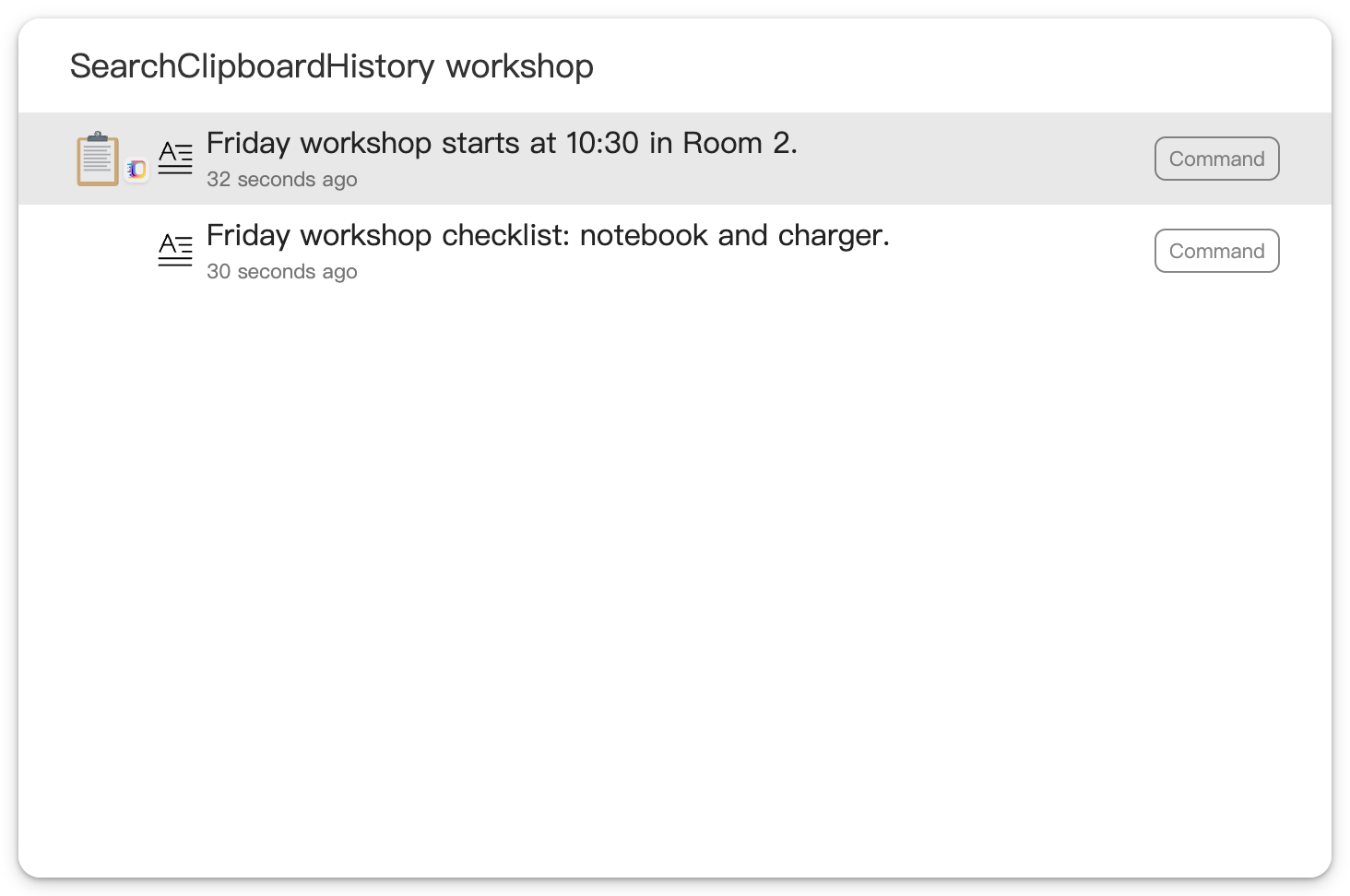
Choose the line with the time and room and press Enter. By default, Sliprail copies it to the clipboard and pastes it directly into the previous app, at the cursor position you prepared in your notes.
If you prefer to copy without automatically pasting, turn off “Paste directly” in Settings > Extensions > Clipboard History. Enter will then only copy the selected record to the clipboard. Return to your notes and paste with Ctrl + V on Windows or Command + V on Mac.
You don't have to save every useful sentence separately as you go. Once recording is on, supported copies accumulate in your local history. A word you remember can be enough to find one again and carry on with your work.
Know what stays in history
Local clipboard history is available on Sliprail Free. You don't need cloud sync for this workflow.
History follows your retention settings and has item-count, size, and format limits. It isn't a permanent archive or a guarantee that every copy will be recorded. Recording images and files requires separate options. See the Clipboard History documentation for how to enable recording, current limits, and history controls.
Optional clipboard cloud sync is off by default and requires Sliprail Lite or Pro. It syncs only supported text history. Copied images and files remain on the device where they were recorded.
Keep useful copies within reach
The next time a copied message gets replaced, a keyword could save you another search through the original conversation. Download Sliprail for desktop, enable clipboard history, and let the text you copy from then on become easier to reuse.